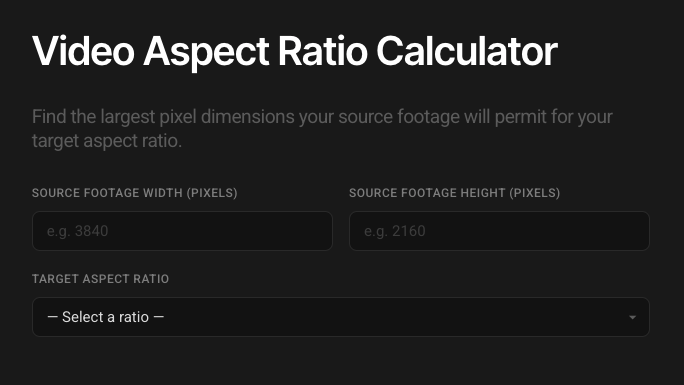
Use our free aspect ratio calculator below to quickly work out the right pixel dimensions for different aspect ratios and delivery formats, based on your source footage.
Video Aspect Ratio Calculator
Find the largest pixel dimensions your source footage will permit for your target aspect ratio.
This free calculator is built and maintained by Rob Pinney Studio, a video production company in London.
How does the video aspect ratio calculator work?
The aspect ratio calculator is really simple.
Enter the pixel width and height of your source footage
Select your target aspect ratio (we've included all of the most common social formats)
The calculator will give you two results:
The largest pixel dimensions that match your target aspect ratio without exceeding the resolution of your source footage.
The pixel dimensions that match your target aspect ratio that does not exceed HD (1920x1080) – useful for HD-only delivery and reducing file sizes for upload.
Enter these dimensions when setting up your timeline in Davinci Resolve, Premiere Pro or Final Cut Pro (FCPX) and voilà: you'll have a timeline in the right aspect ratio, tailored to the highest resolution your source footage will allow.
Common aspect ratios for different social media platforms
Instagram aspect ratios
Feed
4:5 / 3:4 (recommended for maximum engagement; up to 1.91:1 also supported)
Reels
9:16 (other aspect ratios will be cropped or shown with black bars in the reels feed, but will display correctly in the main feed)
Stories
9:16
Editing for Instagram? Download our free Reels safe zone template to keep text clear of the UI.
YouTube aspect ratios
Standard Video
16:9 is the standard aspect ratio for YouTube, but the player will adapt to ratios of up to 9:16 and 21:9.
YouTube Shorts
9:16
TikTok aspect ratios
Feed
9:16 (1:1 and 16:9 also accepted, but may be cropped or padded with blurred background)
LinkedIn aspect ratios
Main Feed
4:5 / 1:1 / 16:9
Vertical Video Tab
9:16
Facebook aspect ratios
Feed
4:5 / 1:1 / 16:9
Reels
9:16
We deliver in all of these formats as part of our social media video production work for brands like Amazon, Dove, and Brooklyn Brewery.
What is aspect ratio and how is it calculated?
Aspect ratio is the proportional relationship between the width and height of a video, photograph, or image. It tells you the shape of the frame (the proportions), but does not tell you the resolution or size (the pixel dimensions). It is usually expressed as width then height, separated by a colon (like 16:9, 9:16, 4:3, 5:4, or 1:1).
To calculate aspect ratio, you take the dimensions of your video or image then divide it by the greatest common divisor – the largest number that both dimensions can be divided by and still return a whole number.
For example:
Your resolution is: 1920 x 1080
120 is the greatest common divisor
1920/120 = 16
1080/120 = 9
Your aspect ratio is: 16:9
The video aspect ratio calculator works slightly differently. You tell it the pixel dimensions of your source footage (e.g.: 3840 x 2160 UHD) and the aspect ratio you need to deliver in (e.g.: 4:5 for Instagram) and it will work out the largest pixel dimensions that match that aspect ratio without exceeding the resolution of your source footage (1728 x 2160).
You can then set up your timeline in your target aspect ratio, still making maximum use of the resolution available in your source material.
Further reading: